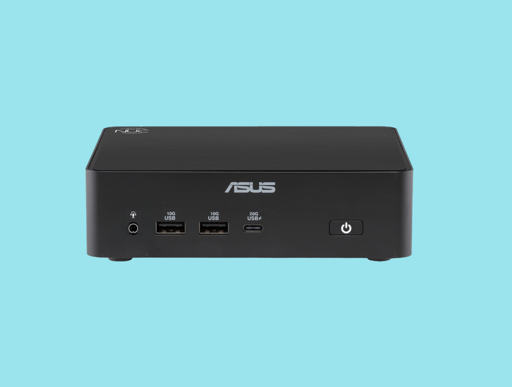
Dell and Asus have announced new mini PCs intended for use with Windows 365. These systems will not power themselves, but will simply allow users to operate Windows running in the cloud.
Depends on what you do and depends on how it’s set up.
At a previous job we had thin clients set up to connect to some remote desktops, and indeed they were running an OS locally, but had barely enough resources to run the OS and the client app.
Maybe uould find a version of linux that would run on them. I’m not a linux aficionado but I’ve found cut-down flavours useful in the past when I’ve needed something that could run on a crippled potato.
Again, depends on what your use case is. Even if you find a stripped down OS that’s less resource heavy, you’ll probably still be using the same other software (i.e. same browser on the same modern web, and you’ll be out of RAM once you open 10-20 tabs). If a manufacturer has meant this as base specs for a thin client, you’re not tricking anyone (but yourself) by trying to use it as a full featured computer, and you’re still driving sales (at least on the hardware part) on a deliberately crippled product.
If you want to vote with your wallet (as IMO everyone should), you don’t buy this and repurpose it; you simply don’t buy it.
Yep, just looking at it screams thin client. This will have just enough for networking (wifi/bluetooth), running three monitors (no gaming), some 3.5mm audio, and usb 2.0. If it’s business focues, probably some remote mgmt stuff, and maybe a default VPN client.


Depends on what you do and depends on how it’s set up.
At a previous job we had thin clients set up to connect to some remote desktops, and indeed they were running an OS locally, but had barely enough resources to run the OS and the client app.
Maybe uould find a version of linux that would run on them. I’m not a linux aficionado but I’ve found cut-down flavours useful in the past when I’ve needed something that could run on a crippled potato.
Again, depends on what your use case is. Even if you find a stripped down OS that’s less resource heavy, you’ll probably still be using the same other software (i.e. same browser on the same modern web, and you’ll be out of RAM once you open 10-20 tabs). If a manufacturer has meant this as base specs for a thin client, you’re not tricking anyone (but yourself) by trying to use it as a full featured computer, and you’re still driving sales (at least on the hardware part) on a deliberately crippled product.
If you want to vote with your wallet (as IMO everyone should), you don’t buy this and repurpose it; you simply don’t buy it.
If you can run it on a pi, you can run it on these
Yep, just looking at it screams thin client. This will have just enough for networking (wifi/bluetooth), running three monitors (no gaming), some 3.5mm audio, and usb 2.0. If it’s business focues, probably some remote mgmt stuff, and maybe a default VPN client.